
Skip to content

From your domain to an article on your blog.

Start with your website and check the brief we read from it. ThirdDraft finds the topics, plans them on a calendar, then researches, writes and reviews each article with AI. You choose where finished articles go.

One free article on your own site, no card.

01 Add your website.

Type your domain and create an account, or continue with Google. Say what the articles are for, where your customers are, the language to write in and the address of your blog, if you have one.

If your site has a version for each language, we read the one for your market. Each website is written for one market, in one language.

Adding a website: its domain typed in, with Search Console as an option.
Demo site · Start with your domain.
Choosing a website's market: the country of its customers, the language of its articles and its blog's address.
Demo site · The market, the language and the blog.

02 Check the brief.

We read your homepage, and more of your pages where it says too little, then draft a brief: what you do and sell, who you compete with, who you write for and the search terms to start from.

Correct what we got wrong, name the subjects to leave out, and approve it. The brief steers every topic, article and review after it.

A brand brief ready to check: the business in a few lines and its products.
Demo site · What the business does and sells.
A brief's competitors, the closest first, above the readers it writes for.
Demo site · Competitors, and who you write for.

03 Find the topics worth writing.

Research starts when you approve the brief. We start from your search terms, the searches your own and your competitors’ blogs rank for and the questions your readers ask, measure how often each is searched, and group the searches that ask the same question into one topic.

Each topic is checked against Google’s first page and judged for your business and readers. It comes with its searches a month, how hard it is to rank and why it fits.

A topic with its searches a month, how hard it is to rank, why it fits and the Google results behind it.
Demo site · A topic and the research behind it.

04 Plan the month on a calendar.

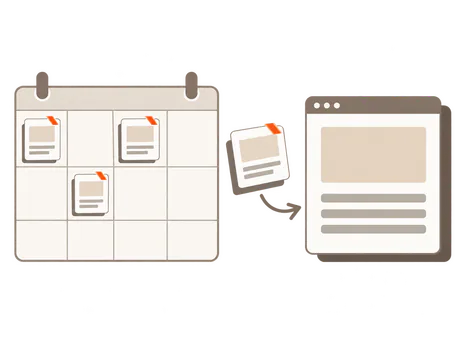
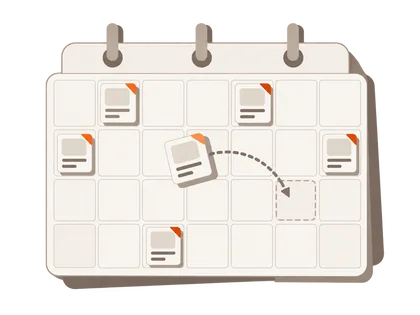
We place the topics on the days your subscription covers. Move an article to another day, swap its topic or write one today, or leave the plan to us.

Each article is written on its day. Automatic publishing decides what happens once it is finished.

A website's writing calendar in ThirdDraft: the month's articles planned on their days, the first one ready today.
Demo site · A month of articles on one calendar.

05 Research, write, review and revise.

Before writing, we read your own pages and the articles that rank on Google’s first page. A fact is kept only when the start of its quote is found on the page it came from.

AI writes the article. A reviewer from a different AI company checks it against your brief and its sources, a style check catches your banned phrases, and what they find is rewritten and reviewed again.

06 Read the finished article.

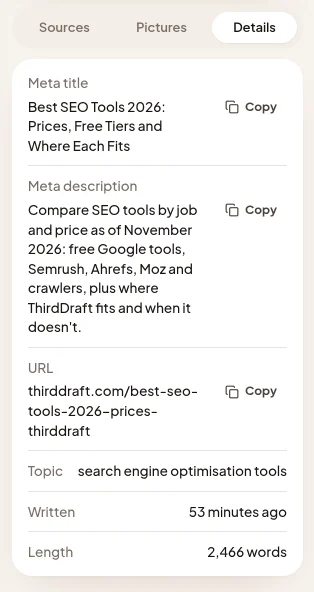
About 2,000 words, with headings, links, pictures with alt text and the sources it was researched from, plus a meta title, a description and a suggested URL.

Download it as Word, HTML or PDF, or as a ZIP with the Markdown, the pictures and the sources, or send it to the places you connect.
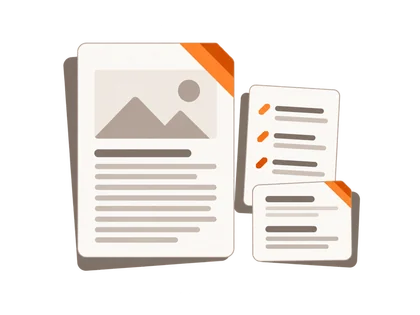
A finished article in ThirdDraft: its title, first picture and opening beside the sources it was researched from.
Demo site · A finished article beside its sources.
The Details of a finished article: its meta title, description and suggested URL.
Demo site · The metadata, ready to copy.

07 Send it to your blog.

Connect your CMS and choose Publish or Save as draft, or send articles to a Notion database, your own storage or a webhook. With Automatic publishing on, each finished article goes there once it is ready; turn it off to approve each one first.

You can also download each article and publish it yourself.

See every place articles can go
A website's Publishing page in ThirdDraft: Automatic publishing and a connected blog with its last delivery.
Demo site · Where articles go, and when they are sent.
The same article published on the demo website's blog.
Demo blog · The article, published.

Measure what you publish.

Connect Search Console and choose your site’s property: topics you already rank for are left out, and each published article shows its clicks, impressions and average position. A CMS that publishes the post records its address for you; for an article you publish yourself, add the address on its page.

Questions about the process

Who writes and approves the articles?

AI writes and reviews each article. You approve the brief once. To read each article before it is sent, turn Automatic publishing off, or choose Save as draft for your CMS.

Why are some topics left out?

A topic is left out when your site already has an article that answers it, when Google’s first page is all shops, videos or news, or when it is a search for one company’s own website. It stays in your topics with its reason, and on a subscription you can still choose to write it.

What if research finds too few topics?

The calendar shows how many it found, and research looks again every week until the month is full.

Can I choose the free article’s topic?

We choose it: the approved topic most searched now from the first batch of research. The days and topics of the articles after it are yours to change.

Do I need Search Console or a blog?

Search Console is optional; connect it whenever you like. A blog can come later: download your articles meanwhile and publish them once it is ready.

Can I change the website or its market later?

The domain stays the same once the brief is approved; add another website for another domain. The market and the goal can change once in 30 days, and the new answers apply when you approve the brief we read for them. A new market starts the topic research again.

Try it on your own website.

Approve the brief, read the finished article, then decide.

One free article on your own site, no card.