ThirdDraft for WordPress
A WordPress autoblogging plugin for AI-written articles.
Connect your WordPress site to ThirdDraft’s AI subscription. Each finished article becomes a native post, with pictures in your Media Library. Choose Publish or Save as draft.
ZIP from ThirdDraft · WordPress 5.6+ · PHP 7.2+ · HTTPS required
$29 per website per month for 15 articles. One free article on your own site, no card.
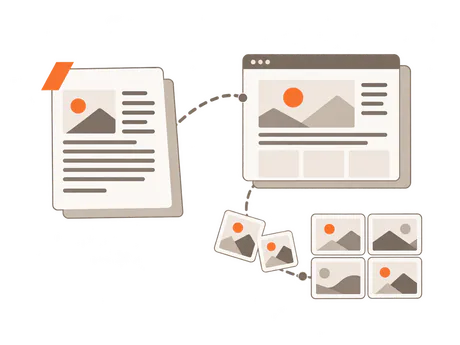
Install and connect the plugin
Add your website to ThirdDraft, then install ThirdDraft for WordPress on that website.
- Install the ZIPUpload the plugin in WordPress, then install and activate it.
- Connect in WordPressSettings → ThirdDraft → Connect to ThirdDraft.
- Confirm in ThirdDraftChoose Publish or Save as draft, then click Connect.
- Native postsAfter the connection check, finished articles arrive with their pictures in your Media Library.
Install the ZIP in WordPress
- Download the plugin from ThirdDraft.
- In WordPress, go to Plugins → Add Plugin → Upload Plugin. In older versions, Add Plugin is called Add New Plugin or Add New.
- Choose the ZIP, then click Install Now and Activate Plugin.

Connect from Settings → ThirdDraft
In WordPress, open Settings → ThirdDraft and click Connect to ThirdDraft. On ThirdDraft, confirm the website and workspace, choose Publish or Save as draft, and click Connect. Sign in first if asked.
You return to WordPress while ThirdDraft checks the connection. Once connected, finished articles can arrive as posts.

Articles arrive as native WordPress posts
The article arrives under Posts in WordPress, where you can open it in the editor. On WordPress 6.1 or later with the block editor, the plugin makes its headings, paragraphs, lists, quotes, tables, code and pictures native blocks, and anything else an HTML block. Older installations, and sites on the classic editor, get classic content.
Choose Post as and Category in Settings → ThirdDraft to set the author account and category used for incoming articles.
Choose Publish or Save as draft
Publish finished articles
Choose Publish to make each finished article live on your WordPress blog when it is sent. With Automatic publishing on in ThirdDraft, finished work is sent as soon as it is ready.
Keep new posts as drafts
Choose Save as draft to send new articles into WordPress for you to read and edit before publishing. You can also turn Automatic publishing off in ThirdDraft so finished articles wait for your approval before they are sent.
Send an article again
Sending the same article again updates the same WordPress post. A post already published stays live at its address and date, even if the connection is later set to Save as draft.
A resend writes the post’s text again, so make your edits in WordPress after the final send. SEO fields you changed in WordPress are kept, and so is a featured image you chose there.
Pictures and SEO fields arrive with the article
Pictures in your Media Library
The plugin copies the article’s pictures into your Media Library, with alt text. The post uses those copies, its featured image among them. A picture already copied for that article is reused when you send it again, as long as it hasn’t changed.

Fields for your SEO plugin
ThirdDraft fills the supported fields in the SEO plugin you have active:
| Active plugin | Fields ThirdDraft fills |
|---|---|
| Yoast SEO | SEO title, meta description, focus keyphrase |
| Rank Math | SEO title, meta description, focus keyword |
| SEOPress | SEO title, meta description, target keywords |
| All in One SEO | SEO title, meta description, focus keyphrase |
| The SEO Framework | SEO title and meta description |
A separate SEO title is set only when the article’s search title differs from its post title; otherwise your SEO plugin’s title template applies. On a resend, a field is updated only while it is empty or still holds ThirdDraft’s previous value, so values you changed in WordPress are kept.
What the subscription includes
ThirdDraft finds topics from search data and your brief, places them on a calendar, and researches, writes, reviews and revises articles with AI. Each website includes 15 articles a month for $29. Extra articles are $2 a month each.
The WordPress plugin connects that writing subscription to your blog. You can also download finished articles as Word, HTML or PDF, or a ZIP with Markdown, pictures and sources.